
LangChain vs LlamaIndex: A Practical Guide for 2024
Published: April 13, 2026
Introduction
The explosion of large language models (LLMs) has given developers two powerful frameworks to build intelligent applications: LangChain and LlamaIndex. Whether you're building a customer support chatbot, an internal knowledge base search engine, or a multi-agent research assistant, choosing the right tool — and knowing how to use it — can mean the difference between a mediocre prototype and a production-ready AI system.
In this practical guide, we'll break down both frameworks, compare their core strengths, walk through real-world use cases, and give you the hands-on knowledge to start building today. By the end, you'll understand exactly when to use LangChain, when to reach for LlamaIndex, and when to combine both for maximum impact.
What Is LangChain?
LangChain is an open-source framework designed to help developers build applications powered by LLMs. Launched in late 2022 by Harrison Chase, it quickly became one of the fastest-growing open-source projects in history, surpassing 50,000 GitHub stars within its first year.
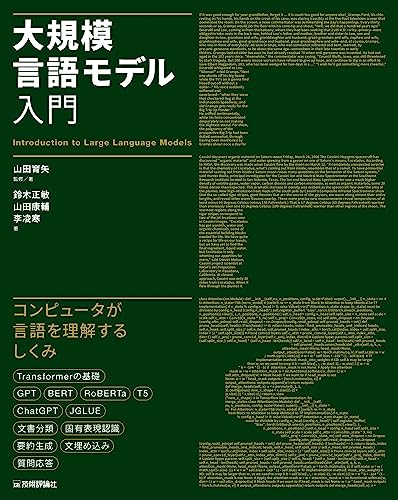
Sponsored
大規模言語モデル入門
¥3,520
At its core, LangChain is built around the concept of "chains" — sequences of calls to LLMs, tools, memory systems, and data sources that work together to complete complex tasks. Think of it as a pipeline builder for AI workflows.
Key Components of LangChain
- Chains: Predefined sequences of actions (e.g., Prompt → LLM → Output Parser)
- Agents: Dynamic decision-making systems that choose which tools to use
- Memory: Short-term and long-term conversation storage
- Tools: Integrations with external APIs, search engines, databases
- Callbacks: Real-time monitoring and logging hooks
LangChain supports virtually every major LLM provider, including OpenAI GPT-4, Anthropic Claude, Google Gemini, Mistral, and open-source models via HuggingFace. This flexibility has made it the go-to framework for developers building agentic AI applications.
What Is LlamaIndex?
LlamaIndex (formerly known as GPT Index) was created by Jerry Liu and focuses on a specific but critical problem: connecting LLMs to your own data. While LangChain takes a broad approach to LLM application development, LlamaIndex specializes in Retrieval-Augmented Generation (RAG) — the technique of enriching LLM responses with relevant context pulled from external documents.
LlamaIndex provides an optimized pipeline for:
- Ingesting data from diverse sources (PDFs, databases, APIs, websites)
- Indexing that data efficiently for fast retrieval
- Querying the index with natural language questions
- Synthesizing accurate responses grounded in your documents
As of 2024, LlamaIndex has been downloaded over 10 million times per month via PyPI and supports more than 160 data connectors through its LlamaHub ecosystem.
LangChain vs LlamaIndex: Core Comparison
Here's a side-by-side comparison to help you understand where each framework shines:
| Feature | LangChain | LlamaIndex |
|---|---|---|
| Primary Focus | Agentic workflows & chaining | Data indexing & RAG pipelines |
| Learning Curve | Moderate to High | Low to Moderate |
| RAG Support | Yes (general-purpose) | Yes (optimized, specialized) |
| Agent Support | Excellent | Good (improving rapidly) |
| Data Connectors | ~80+ integrations | 160+ via LlamaHub |
| Memory Management | Built-in (multiple types) | Limited (improving) |
| Streaming Support | Yes | Yes |
| Multi-modal Support | Partial | Growing |
| Production Readiness | High (LangSmith for monitoring) | High (LlamaCloud available) |
| Community Size | Very Large (85k+ GitHub stars) | Large (33k+ GitHub stars) |
| Best For | Complex agents, chatbots, tools | Document Q&A, knowledge bases |
Setting Up Your Environment
Before diving in, let's set up a working environment for both frameworks.
# Install both frameworks
pip install langchain langchain-openai
pip install llama-index llama-index-llms-openai

# Set your API key
export OPENAI_API_KEY="your-api-key-here"
If you want a deeper understanding of how these tools fit into the broader LLM ecosystem, Hands-On Large Language Models by Jay Alammar is one of the most practical books available on the topic, covering everything from tokenization to production deployment.
Practical LangChain Examples
Example 1: Building a ReAct Agent
One of LangChain's killer features is its Agent system. Below is a minimal example of a ReAct (Reasoning + Acting) agent that can search the web and do math:
from langchain_openai import ChatOpenAI
from langchain.agents import create_react_agent, AgentExecutor
from langchain_community.tools import DuckDuckGoSearchRun
from langchain_community.tools import WikipediaQueryRun
from langchain import hub

# Initialize LLM
llm = ChatOpenAI(model="gpt-4o", temperature=0)

# Define tools
search = DuckDuckGoSearchRun()
wikipedia = WikipediaQueryRun()
tools = [search, wikipedia]

# Pull a standard ReAct prompt from LangChain Hub
prompt = hub.pull("hwchase17/react")

# Create the agent
agent = create_react_agent(llm, tools, prompt)
agent_executor = AgentExecutor(agent=agent, tools=tools, verbose=True)

# Run the agent
result = agent_executor.invoke({
    "input": "Who won the 2024 Nobel Prize in Physics, and what was their contribution?"
})
print(result["output"])
This agent will automatically decide whether to search Wikipedia, use DuckDuckGo, or rely on its own knowledge — choosing the best tool for each step.
Example 2: Conversational Chain with Memory
from langchain_openai import ChatOpenAI
from langchain.chains import ConversationChain
from langchain.memory import ConversationBufferWindowMemory

llm = ChatOpenAI(model="gpt-4o-mini", temperature=0.7)

# Keep the last 5 exchanges in memory
memory = ConversationBufferWindowMemory(k=5)

conversation = ConversationChain(
    llm=llm,
    memory=memory,
    verbose=False
)

# Simulate a conversation
print(conversation.predict(input="My name is Alex. I'm building a RAG app."))
print(conversation.predict(input="What's my name and what am I building?"))
Real-World LangChain Use Case: Klarna's Customer Support Bot
Klarna, the Swedish fintech company, deployed a LangChain-based AI assistant that handles over 2.3 million customer conversations per month. By combining LangChain agents with their internal knowledge base and CRM tools, Klarna reported a 70% reduction in support ticket resolution time and estimated annual savings of $40 million. Their implementation uses LangChain's tool-calling agents to autonomously look up order status, process refunds, and escalate complex cases.
Practical LlamaIndex Examples
Example 1: Document Q&A in 10 Lines of Code
LlamaIndex makes it remarkably easy to build a document question-answering system:
from llama_index.core import VectorStoreIndex, SimpleDirectoryReader
from llama_index.llms.openai import OpenAI

# Load documents from a folder
documents = SimpleDirectoryReader("./my_documents").load_data()

# Build an index (embeddings are created automatically)
index = VectorStoreIndex.from_documents(documents)

# Create a query engine
query_engine = index.as_query_engine(
    llm=OpenAI(model="gpt-4o"),
    similarity_top_k=3  # Retrieve top 3 relevant chunks
)

# Query your documents
response = query_engine.query(
    "What are the key findings from the Q3 2024 earnings report?"
)
print(response)
Example 2: Advanced RAG with Hybrid Search
For production-grade retrieval, LlamaIndex supports hybrid search combining dense vector search and sparse BM25 keyword search:
from llama_index.core import VectorStoreIndex, StorageContext
from llama_index.retrievers.bm25 import BM25Retriever
from llama_index.core.retrievers import VectorIndexRetriever
from llama_index.core.query_engine import RetrieverQueryEngine
from llama_index.core.retrievers import QueryFusionRetriever

# Build vector index
vector_index = VectorStoreIndex.from_documents(documents)
vector_retriever = VectorIndexRetriever(index=vector_index, similarity_top_k=5)

# Build BM25 retriever
bm25_retriever = BM25Retriever.from_defaults(
    docstore=vector_index.docstore,
    similarity_top_k=5
)

# Combine with QueryFusionRetriever (Reciprocal Rank Fusion)
hybrid_retriever = QueryFusionRetriever(
    retrievers=[vector_retriever, bm25_retriever],
    num_queries=4,
    use_async=True
)

## Related Articles

- [Latest Trends in Large Language Models (LLMs) 2026](https://ai-blog-seven-wine.vercel.app/en/posts/2026-04-10-am-rjm4g)
- [Latest Trends in Large Language Models (LLMs) 2026](https://ai-blog-seven-wine.vercel.app/en/posts/2026-04-10-pm-s07as)
- [Fine-tuning and LoRA in Practice: A Complete Guide](https://ai-blog-seven-wine.vercel.app/en/posts/2026-04-11-pm-8rsyk)
![LangChainとLangGraphによるRAG・AIエージェント[実践]入門](https://images-na.ssl-images-amazon.com/images/P/4297145308.09.LZZZZZZZ.jpg)
