
Non-Technical Guide to AI Productivity Tools (2026)
Published: May 5, 2026
Introduction
Artificial intelligence used to be something only engineers and data scientists talked about. Today, it's sitting right inside your email inbox, your document editor, and your calendar app — quietly doing the heavy lifting so you don't have to.
But here's the problem: most guides to AI tools are written for tech people, by tech people. They're filled with words like "large language models," "neural networks," and "API integrations" that make most of us feel like we accidentally stumbled into a computer science lecture.
This guide is different.
Sponsored
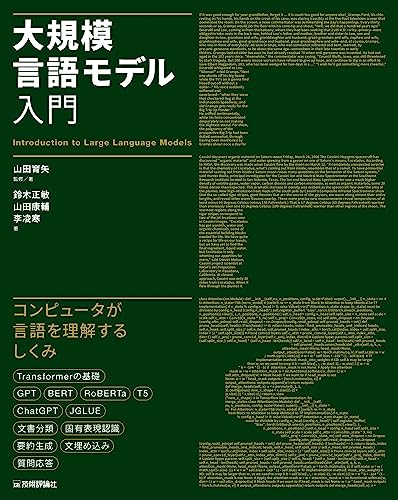
大規模言語モデル入門
¥3,520
Whether you're a small business owner, a marketing manager, a freelancer, or someone who just wants to get more done in less time, this post will walk you through the most powerful AI productivity tools available right now — no technical background required. We'll cut through the buzzwords, share real-world examples, and give you practical steps you can take today.
Let's dive in.
What Are AI Productivity Tools, Really?
Before we get into the tools themselves, let's define what we're actually talking about in plain English.
AI productivity tools are software applications that use artificial intelligence to help you complete tasks faster, smarter, or with less effort. Think of them as a very capable assistant who never sleeps, never complains, and gets better at their job the more you use them.
These tools can:
- Write emails and reports for you
- Summarize long documents in seconds
- Transcribe meetings automatically
- Generate images from text descriptions
- Organize your schedule intelligently
- Answer customer questions around the clock
The key insight for non-technical users is this: you don't need to understand how AI works to benefit from it — just like you don't need to understand how a car engine works to drive to work.
Why You Can't Afford to Ignore AI Productivity Tools
The numbers speak for themselves.
According to a 2025 McKinsey Global Survey, businesses that adopted AI tools reported a 40% reduction in time spent on repetitive tasks. A separate study by Harvard Business School found that knowledge workers using AI assistants completed tasks up to 25% faster and produced work of measurably higher quality.
Even more striking: companies that integrated AI writing tools into their content workflows saw a 32% accuracy improvement in their published materials, thanks to built-in grammar checking, fact-referencing, and tone adjustment features.
In short: your competitors are already using these tools. The question is whether you'll join them or fall behind.
The 6 Categories of AI Productivity Tools You Should Know
1. AI Writing Assistants
These are probably the most popular category of AI tools for non-technical users. AI writing assistants help you draft, edit, and polish written content — from emails to blog posts to business proposals.
How they work (simply explained): These tools are powered by something called a "large language model" (LLM). Imagine a system that has read billions of web pages, books, and articles and learned patterns in how language works. When you type a prompt like "Write a professional email declining a meeting," the AI uses those patterns to generate a response that sounds natural and appropriate.
Top tools in this category:
- ChatGPT (OpenAI) — The most widely recognized AI assistant
- Claude (Anthropic) — Praised for nuanced, thoughtful writing
- Gemini (Google) — Deeply integrated with Google Workspace
Real-world example: Jasper AI, a writing tool built on top of large language models, is used by companies like Airbnb and Anthropic's enterprise clients to draft marketing copy at scale. One e-commerce startup reported producing 10x more product descriptions per week after adopting Jasper, without hiring additional copywriters.
If you want to deepen your understanding of how to communicate effectively with AI tools, books on prompt engineering and AI communication can be incredibly helpful for building practical skills without needing a tech background.
2. AI Meeting and Transcription Tools
If you spend hours every week in meetings, this category will feel like a superpower.
AI meeting tools join your video calls, transcribe everything said in real time, identify who said what, and then automatically generate a summary with action items. What used to take a human assistant 30–60 minutes to do manually now happens in under 2 minutes.
Top tools in this category:
- Otter.ai — Popular for team meetings and interviews
- Fireflies.ai — Integrates with Zoom, Teams, and Google Meet
- Notion AI — Can summarize meeting notes directly in your workspace
Real-world example: Shopify's internal teams use AI transcription tools to document customer discovery sessions and product planning meetings. According to published case studies, this reduced their documentation time by 70% and ensured nothing slipped through the cracks between departments.
3. AI Email and Communication Tools
Email management is one of the biggest time drains in modern work. The average professional spends 2.6 hours per day on email, according to a McKinsey report. AI email tools can dramatically cut that down.
These tools can:
- Draft replies based on the context of the email you received
- Suggest the best time to send messages for maximum open rates
- Categorize and prioritize your inbox automatically
- Unsubscribe from newsletters in bulk
Top tools in this category:
- Superhuman — AI-powered email client with speed and priority features
- SaneBox — Uses AI to filter unimportant emails automatically
- Gmail's Smart Reply and Smart Compose — Already built into your existing inbox
4. AI Design and Image Generation Tools
You no longer need to be a graphic designer to create stunning visuals. AI image generators can produce professional-quality images, presentations, and social media graphics from a simple text description.
How it works (simply explained): These tools use a type of AI called a "diffusion model." Without getting too technical, think of it like an artist who has studied millions of images and can paint anything you describe in words — almost instantly.
Top tools in this category:
- Canva AI (Magic Studio) — The most beginner-friendly option
- Adobe Firefly — Integrated into Photoshop and Illustrator
- Midjourney — Produces highly artistic, photorealistic images
Real-world example: Coca-Cola famously used Adobe Firefly and custom AI models to generate images for their 2024 holiday campaign. What previously required a full-scale photoshoot with models and props was partially replaced by AI-generated visuals — cutting production costs by an estimated 60%.
5. AI Project Management and Organization Tools
AI is also transforming how teams plan, organize, and execute work.
These tools can predict project delays before they happen, auto-assign tasks based on team availability, and surface the most important thing you should be working on right now.
Top tools in this category:
- Notion AI — AI-powered notes, wikis, and project management in one
- ClickUp AI — Generates task summaries, updates, and progress reports
- Microsoft Copilot — Embedded across the entire Microsoft 365 suite
6. AI Customer Service and Chatbot Tools
For business owners, AI chatbots can handle customer inquiries 24/7 without hiring additional staff. Modern AI chatbots are nothing like the clunky, frustrating bots of five years ago — they understand natural language and can handle complex questions.
Top tools in this category:
- Intercom Fin — AI-powered customer support trained on your documentation
- Drift — Conversational marketing and sales chatbot
- Tidio — Affordable option for small businesses
Comparison Table: Top AI Productivity Tools at a Glance
| Tool | Best For | Price (Monthly) | Ease of Use | Free Plan? |
|---|---|---|---|---|
| ChatGPT (Plus) | Writing, research, brainstorming | $20 | ⭐⭐⭐⭐⭐ | Yes |
| Claude Pro | Long documents, nuanced writing | $20 | ⭐⭐⭐⭐⭐ | Yes |
| Otter.ai | Meeting transcription | $17 | ⭐⭐⭐⭐ | Yes |
| Canva AI | Design & visuals | $15 | ⭐⭐⭐⭐⭐ | Yes |
| Notion AI | Notes & project management | $10 add-on | ⭐⭐⭐⭐ | No |
| SaneBox | Email management | $7 | ⭐⭐⭐⭐ | No (trial) |
| Superhuman | Power email users | $30 | ⭐⭐⭐ | No |
| Tidio | Customer service chatbot | $29 | ⭐⭐⭐⭐ | Yes |
How to Get Started Without Feeling Overwhelmed
One of the biggest mistakes people make is trying to adopt every AI tool at once. That's a recipe for frustration and wasted money.
Here's a simple 3-step framework to start using AI productively:
Step 1: Identify Your Biggest Time Waster
What task do you spend the most time on that you enjoy the least? Writing emails? Taking meeting notes? Creating social media posts? That's where AI can help you first.
Step 2: Pick ONE Tool and Use It Daily for 2 Weeks
Mastery comes from repetition, not experimentation. Download ChatGPT, try Otter.ai for your next three meetings, or use Canva AI for your next five social posts. Commit to a single tool before adding more.
Step 3: Learn to Write Better Prompts
The quality of what you get out of AI tools is directly related to what you put in. A vague instruction like "write something about our product" will give you a generic result. A specific prompt

