
Local LLMs and Open‑Source AI: Empowering the Next Generation of Intelligent Apps
Published: September 3, 2026
Introduction
The artificial‑intelligence landscape has entered a phase where large language models (LLMs) are no longer the exclusive domain of a handful of cloud giants. A growing ecosystem of open‑source AI projects and tools now enables developers, startups, and even large enterprises to run powerful language models locally—on‑premise, in private clouds, or at the edge.
This shift is driven by three intertwined motivations:
- Data privacy and compliance – Sensitive information stays inside the organization’s firewall, reducing the risk of accidental exposure.
- Cost predictability – Running inference on owned hardware eliminates the variable expense of per‑token cloud pricing.
- Customization and control – Open‑source models can be fine‑tuned, quantized, or otherwise adapted to meet niche domain requirements.
In this blog post we’ll unpack what “local LLMs” really mean, review the most influential open‑source projects, compare the leading tools, and illustrate the concepts with real‑world examples. By the end, you’ll have a clear roadmap for deciding whether a local, open‑source approach fits your next AI‑driven product.
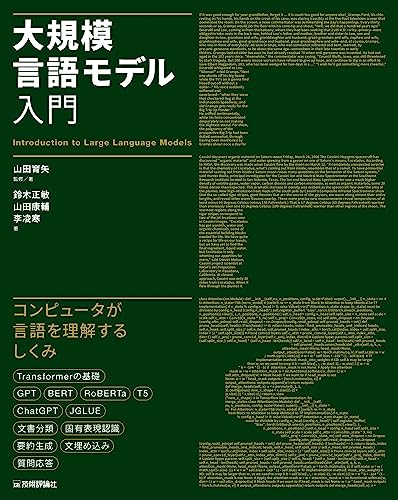
Sponsored
大規模言語モデル入門
¥3,520
What Is a “Local” LLM?
Defining the term
A local LLM refers to a large language model that is executed on hardware that the user directly controls, rather than on a remote, managed service. “Local” can encompass:
| Scope | Typical environment |
|---|---|
| On‑premise | Company data center, dedicated GPU servers |
| Private cloud | Virtual machines or Kubernetes clusters within a trusted network |
| Edge device | High‑performance laptops, workstations, or specialized AI accelerators |
The key distinction is ownership of the compute stack – from the physical GPU/TPU to the operating system and runtime.
Core technical concepts
| Term | Plain‑English explanation |
|---|---|
| Tokenization | The process of breaking text into smaller units (tokens) that the model can understand. |
| Inference | Running a trained model to generate predictions or text, as opposed to training it from scratch. |
| Quantization | Reducing the precision of model weights (e.g., from 32‑bit floating point to 8‑bit integers) to shrink memory usage and speed up inference. |
| Fine‑tuning | Adapting a pre‑trained model on a specific dataset so it behaves better for a particular task. |
| LoRA (Low‑Rank Adaptation) | A lightweight method for fine‑tuning that adds small trainable matrices, keeping the base model untouched. |
| GPU/CPU acceleration | Using graphics processing units (or specialized AI chips) to perform the massive matrix multiplications that LLMs require. |
Understanding these building blocks helps you evaluate whether a given model can fit your hardware budget and latency requirements.
Why Move From Cloud‑Only to Local LLMs?
Privacy and regulatory compliance
Many industries—healthcare, finance, legal—are subject to strict data‑handling regulations. Sending user prompts to a public API can create compliance headaches, especially when the data includes personally identifiable information (PII) or protected health information (PHI). By keeping inference in‑house, organizations retain full auditability and can implement encryption, access controls, and logging that meet industry standards.
Cost control and scalability
Cloud providers typically charge per token or per second of compute, which can quickly add up for high‑volume applications such as customer‑support chatbots or document‑analysis pipelines. With a local deployment, you pay a fixed capital expense for the hardware and can amortize that cost over many inference cycles. Additionally, you avoid the latency spikes that sometimes accompany multi‑regional API calls.
Flexibility and innovation
Open‑source models allow developers to experiment with custom prompts, domain‑specific vocabularies, and novel architectures without waiting for a cloud vendor to roll out a new feature. Because the codebase is transparent, you can integrate the model directly into your existing stack—whether that’s a Rust microservice, a Python Flask API, or an embedded C++ application on an edge device.
Leading Open‑Source LLM Projects
Below is a non‑exhaustive snapshot of the most active open‑source LLM initiatives that support local deployment.
| Project | Model family | License | Notable strengths |
|---|---|---|---|
| LLaMA 2 (Meta) | LLaMA‑2 7B‑70B | Permissive, research‑friendly | Strong baseline performance, large community support |
| Mistral | Mistral‑7B, Mixtral‑8x7B | Open‑source, commercial‑friendly | Efficient architecture, good trade‑off between size and speed |
| GPT‑NeoX (EleutherAI) | 20B‑scale | Apache 2.0 | Highly configurable, designed for large‑scale training |
| StableLM | 3B‑7B | Open‑source (MIT) | Optimized for stable diffusion of text‑to‑image pipelines |
| Falcon | 7B‑40B | Apache 2.0 | Emphasis on instruction following, well‑documented quantization scripts |
These projects are typically released together with model weights, tokenizer files, and training scripts. The community around each project maintains Docker images, Helm charts, or simple pip packages that make local setup straightforward.
Real‑World Examples
1. Enterprise knowledge‑base assistant at a multinational consulting firm
A global consulting company needed an internal chatbot that could answer policy questions without exposing confidential client data. They selected Mistral‑7B, quantized it to 4‑bit using the open‑source bitsandbytes library, and deployed the model on a private Kubernetes cluster behind their VPN. The result was a responsive assistant that could retrieve and synthesize information from internal wikis while staying fully compliant with data‑privacy policies.
2. AI‑powered code completion for a software development platform
A popular developer platform integrated LLaMA‑2 13B into its desktop IDE plugin. By running the model locally on the user’s workstation, the plugin provided instant code suggestions without sending snippets to the cloud. The team leveraged LoRA to fine‑tune the model on their own codebase, dramatically improving relevance for the platform’s primary programming languages.
3. On‑device translation for a travel‑tech startup
A startup focused on offline travel assistance deployed Falcon‑7B on Android tablets equipped with Qualcomm AI accelerators. Using the model’s quantized version (8‑bit), the app could translate signage and menus in real time, even in remote locations with no internet connectivity. The local deployment eliminated the need for costly data plans and ensured that travelers’ spoken phrases never left the device.
These examples illustrate the breadth of possibilities: from heavy‑duty enterprise servers to lightweight edge devices.
Comparison of Popular Local LLM Toolkits
| Toolkit / Service | Open‑Source? | Primary Language | Deployment Options | Typical Use‑Case |
|---|---|---|---|---|
| Hugging Face Transformers | Yes | Python | CPU, GPU, ONNX, TensorRT | General‑purpose inference, rapid prototyping |
| LocalAI | Yes | Go (CLI) | Docker, Kubernetes, bare‑metal | Easy self‑hosted API compatible with OpenAI schema |
| vLLM | Yes | Python (C++) | Multi‑GPU, tensor parallelism | High‑throughput serving for large models |
| DeepSpeed‑Chat | Yes | Python | GPU clusters, ZeRO‑3 optimization | Chat‑style inference with minimal latency |
| LangChain (with local models) | Partially (framework) | Python, JavaScript | Any local model via adapters | Orchestrating multi‑step reasoning pipelines |
These toolkits provide the glue between raw model weights and a production‑ready API. Choose the one that aligns with your language stack and scaling ambitions.
Step‑by‑Step Guide: Getting a Small LLM Running Locally
Below is a high‑level workflow that works for most open‑source models.
- Select the model – Pick a model size that matches your hardware. A 7B‑parameter model fits comfortably on a single modern GPU with 16 GB VRAM.
- Set up the environment – Install Python 3.10+, create a virtual environment, and install the required libraries (
torch,transformers,accelerate). - Download weights – Use
huggingface-clito fetch the model files. Verify the checksum to ensure integrity. - Quantize (optional) – Run a quantization script (e.g.,
bitsandbytesorGPTQ) to reduce memory footprint. Test inference speed after quantization. - Wrap in an API – Deploy with
FastAPIor useLocalAIto expose an OpenAI‑compatible endpoint (/v1/completions). - Add a prompt‑engineering layer – Define system prompts, few‑shot examples, or LoRA adapters to specialize the model for your domain.
- Monitor and scale – Track GPU utilization, latency, and error rates. If demand grows, consider sharding the model across multiple GPUs with
vLLM.
For a deeper dive into each step, consider reading Practical Guide to Large Language Models, which walks through a real‑world deployment on a modest workstation.
Optimizing Performance: Quantization, Pruning, and Distillation
Quantization
Reducing numerical precision can shrink model size by 3‑4× with a modest loss in accuracy. Common approaches include:
- 8‑bit integer (INT8) – Supported by
bitsandbytesand Nvidia’s TensorRT. Works well for most text generation tasks. - 4‑bit and 3‑bit – Emerging techniques that push memory usage even lower, suitable for edge devices but may require careful calibration.
Pruning
Pruning removes less important weights, effectively “trimming” the neural network. While more aggressive pruning can impact language fluency, modest pruning (10‑20 %) often yields a noticeable speed boost without harming quality.
Knowledge Distillation
Distillation trains a smaller “student” model to mimic the behavior of a larger “teacher”. Projects like DistilBERT demonstrate that a model half the size can retain most of the original performance. For LLMs, distillation is gaining traction as a way to produce lightweight chat models that run on laptops.
These techniques are often combined: first prune, then quantize, and finally fine‑tune on domain data.
Security and Governance Considerations
Running LLMs locally does not eliminate all security concerns. Keep the following in mind:
- Model leakage – Weights can be reverse‑engineered to reveal training data. Store them in encrypted volumes and limit access.
- Prompt injection – Malicious users may craft inputs that cause the model to reveal internal instructions. Implement input sanitization and guardrails.
- Licensing compliance – Open‑source licenses vary; ensure your usage (commercial vs. research) aligns with the model’s terms.
For a practical checklist, see Open Source AI Cookbook, which includes templates for policy enforcement and audit logging.
Integrating Local LLMs with Existing Applications
Using LangChain for orchestration
LangChain is a framework that lets you chain together LLM calls, tool use (e.g., database queries), and custom Python logic. When paired with a locally hosted model, you retain the same expressive power while avoiding external API calls.
from langchain.llms import HuggingFacePipeline
from langchain.chains import LLMChain
from langchain.prompts import PromptTemplate

# Load a quantized local model
pipeline = HuggingFacePipeline.from_model_id(
    model_id="mistralai/Mistral-7B-Instruct-v0.1",
    device=0,  # GPU id
    task="text-generation",
    max_new_tokens=256,
)

llm = HuggingFacePipeline(pipeline=pipeline)

prompt = PromptTemplate(
    input_variables=["question"],
    template="You are a helpful assistant. Answer concisely:\n{question}"
)

chain = LLMChain(llm=llm, prompt=prompt)

print(chain.run({"question": "What are the key benefits of running LLMs locally?"}))
This snippet demonstrates a complete pipeline that runs entirely on‑premise.
Connecting to legacy systems
Many enterprises still rely on Java or .NET services. You can expose the local model via a RESTful API (FastAPI, Flask) or a gRPC server, then consume it from any language using standard HTTP/gRPC clients.
Future Outlook: Where Local LLMs Are Heading
- Edge‑first AI chips – Specialized ASICs designed for transformer inference will make sub‑second responses possible on smartphones and IoT devices.
- Hybrid cloud‑edge deployments – Organizations may keep the base model on‑premise while off‑loading heavy fine‑tuning tasks to the cloud, striking a balance between control and compute power.
- Model‑as‑a‑Service (MaaS) on private clouds – Internal “model marketplaces” will allow different teams to publish their fine‑tuned variants for internal consumption, similar to an internal Docker registry.
Staying current with open‑source releases and hardware advances will be crucial for anyone looking to maintain a competitive AI edge.
Conclusion
Local large language models and open‑source AI have moved from experimental curiosities to production‑ready building blocks. By hosting models in‑house, you gain privacy, cost predictability, and the freedom to tailor AI to your exact needs. Whether you’re a startup building an offline translation app, a consulting firm safeguarding confidential client data, or a developer platform looking to empower code completion without cloud latency, the open‑source ecosystem offers a rich palette of models, toolkits, and best‑practice guides.
Take the next step:
- Identify a use case where data privacy or latency is a top priority.
- Choose a model size that matches your hardware budget.
- Deploy a quantized version using a toolkit like LocalAI or vLLM.
- Iterate with fine‑tuning or LoRA adapters to boost domain relevance.
The journey may involve a learning curve, but the resources are abundant—documentation, community forums, and books such as Practical Guide to Large Language Models and Open Source AI Cookbook can accelerate your progress.
Ready to bring AI closer to your data and users? Start experimenting with a small open‑source LLM today, and watch how local intelligence transforms your applications.
Related Articles
- Local LLMs & Open-Source AI: The Complete 2026 Guide
- Local LLMs & Open-Source AI: The Complete 2025 Guide
This article was created using generative AI.

