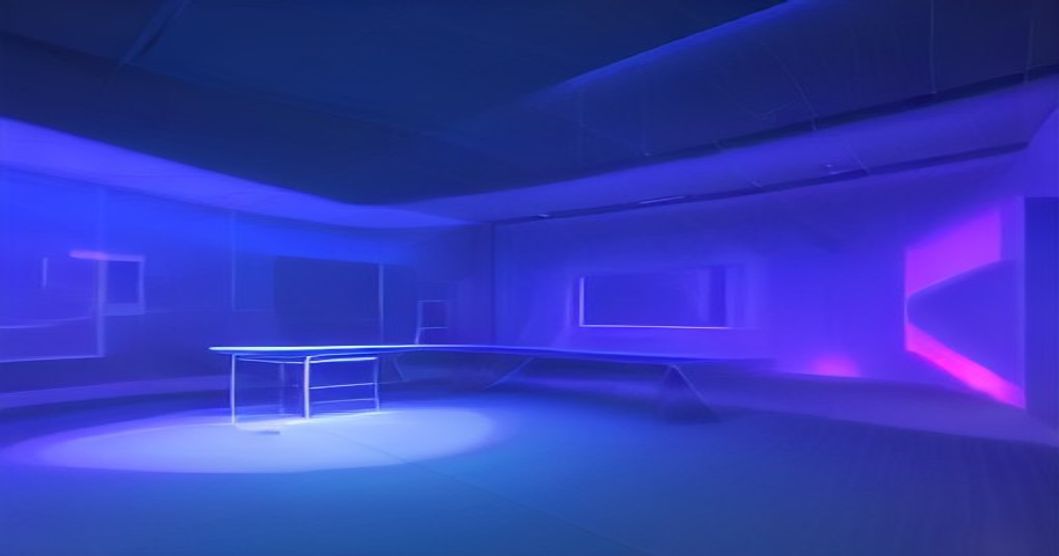
Text‑to‑3D Model Generation: Current State, Real‑World Tools, and What’s Next
Published: September 5, 2026
Introduction
The phrase “text‑to‑3D” has gone from a research curiosity to a practical workflow that lets designers, game studios, and hobbyists turn a simple sentence into a fully textured 3‑dimensional object. Powered by a blend of natural‑language processing (NLP), neural radiance fields (NeRF), diffusion models, and geometry‑aware networks, these systems are reshaping how digital content is created.
In this post you’ll learn:
- Where the technology stands today – key research milestones and commercial products.
- Real‑world examples – how companies like Meta, Meshy, and Masterpiece X are using text‑to‑3D.
- A side‑by‑side comparison of the most popular tools and models.
- Future directions – what breakthroughs could unlock richer, faster, and more controllable 3‑D generation.
Whether you’re a 3‑D artist looking to speed up prototyping, a game developer hunting for rapid asset pipelines, or simply curious about the next wave of generative AI, this guide gives you a comprehensive, SEO‑friendly overview that you can reference now and revisit as the field evolves.
Sponsored
大規模言語モデル入門
¥3,520
1. Why Text‑to‑3D Matters
1.1 From 2‑D Images to Full‑Blown Worlds
Traditional 3‑D modeling has been a labor‑intensive process: modelers sculpt geometry, texture artists paint surfaces, and riggers add animation rigs. Even with powerful software like Blender or Maya, creating a single high‑quality asset can take hours or days. Text‑to‑3D collapses that pipeline into a single natural‑language prompt, dramatically reducing iteration time.
1.2 Democratizing 3‑D Creation
The barrier to entry for 3‑D content has historically been steep. By allowing anyone who can write a description—“a glossy ceramic mug shaped like a 1950s pin‑up woman’s head”—to generate a printable model, text‑to‑3D opens doors for marketers, educators, and indie developers who lack deep modeling expertise. This democratization aligns with broader generative‑AI trends that turn “coding” into “prompting”.
2. Technical Foundations
| Term | Simple Explanation | Why It Matters for Text‑to‑3D |
|---|---|---|
| Natural Language Processing (NLP) | Algorithms that understand and generate human language. | Translates a user’s prompt into a semantic representation of shape, material, and style. |
| Neural Radiance Fields (NeRF) | A deep network that encodes a 3‑D scene as a continuous field of colors and densities, viewable from any angle. | Enables high‑fidelity 3‑D synthesis from 2‑D diffusion outputs (e.g., DreamFusion). |
| Diffusion Model | Generates data by iteratively denoising random noise toward a target distribution. | Produces realistic textures and geometry when trained on 3‑D data. |
| Score Distillation Sampling (SDS) | A technique that guides a 3‑D representation to match the output of a pre‑trained 2‑D diffusion model. | Core of many recent text‑to‑3D pipelines, allowing the reuse of powerful image models for 3‑D generation. |
| Point Cloud Generator | Networks that directly output a set of 3‑D points rather than meshes. | Faster, lightweight alternative for quick prototypes (e.g., Point‑E). |
These components are often combined in a pipeline where an NLP encoder extracts meaning from the prompt, a diffusion model produces an intermediate 2‑D image, and a geometry engine (NeRF, point cloud, or mesh decoder) builds the 3‑D object.
3. Milestones in Research
3.1 Early Pioneers: DreamFields & DreamFusion
The first notable academic leap came with DreamFields, which used a CLIP‑guided loss to sculpt NeRFs from text prompts, demonstrating that a neural field could be shaped by language alone【3】. Building on that, DreamFusion introduced Score Distillation Sampling (SDS) to align a 3‑D NeRF with a frozen text‑to‑image diffusion model, dramatically improving visual realism while keeping the workflow fully differentiable【3】.
3.2 Point‑E: Speed Over Perfection
While DreamFusion produces high‑quality renders, its training loops can be computationally expensive. Point‑E took a different angle: it generates a coarse point cloud directly from text, then upsamples it into a mesh. The result is a model that appears in seconds rather than minutes—ideal for rapid prototyping, albeit with lower fidelity【3】.
3.3 Magic3D & Beyond
More recent work such as Magic3D blends the speed of point‑cloud approaches with diffusion‑based texture synthesis, delivering “magical” detail without a massive compute budget【3】. These models are pushing the envelope toward real‑time text‑to‑3D generation.
3.4 Survey of the AIGC Era
A 2023 arXiv survey (titled “Generative AI meets 3D: A Survey on Text‑to‑3D in the AIGC Era”) highlighted that text‑driven 3‑D editing—texture swaps, shape deformation, and scene composition—has become a primary research focus. The authors forecast that solving controllability and scalability will be the next big challenges, paving the way for broader industry adoption【2】.
4. Commercial Tools Shaping the Market
| Tool / Service | Year Launched | Core Tech | Output Formats | Usability | Notable Users / Partners |
|---|---|---|---|---|---|
| DreamFusion (Open‑source) | 2022 | SDS + NeRF + CLIP | .obj, .glb, .ply | Developer‑centric (CLI) | Research labs, early‑stage startups |
| Point‑E (Open‑source) | 2023 | Point‑cloud diffusion | .pcd, .obj | Simple Python API | Academic projects, rapid‑prototype pipelines |
| Magic3D | 2024 | Hybrid diffusion + upsampling | .fbx, .glb | Web UI with one‑click export | Indie game devs, VR creators |
| Masterpiece X | 2025 | Proprietary AI engine with texture‑aware diffusion | .obj, .glb, .usdz | Drag‑and‑drop UI; animation module | Game studios, animators (e.g., Supercell)【4】 |
| Meshy Text‑to‑3D | 2025 | Prompt‑driven mesh generator, 8 export formats | .obj, .fbx, .gltf, .stl, … | No‑install web app; results in ~1 minute【5】 | |
| Sloyd | 2025 | Procedural generation + AI‑assisted editing | .glb, .obj | Browser‑based; integrates with Unity & Unreal | DNEG, Meta (for internal asset pipelines)【4】 |
Sources: 3D‑Mag article on pipeline complexity【1】, arXiv survey【2】, PMC review of early models【3】, Envato overview of commercial tools【4】, Meshy feature page【5】.
4.1 Real‑World Example #1 – Meshy’s One‑Minute Mug
Meshy’s web platform lets a user type “a glossy ceramic mug shaped like a 1950s pin‑up woman’s head—platinum‑blonde wavy hair, red lips, curved handle blending into her hair.” Within about 60 seconds, the service returns a fully textured 3‑D mesh ready for export in eight different formats, including STL for 3‑D printing【5】. This showcases how a complex description can be turned into a production‑ready asset without any 3‑D software knowledge.
4.2 Real‑World Example #2 – Masterpiece X in Game Production
Masterpiece X targets professional creators with a UI that lets designers type “a medieval sword with glowing runes, metallic bronze finish, and a cracked emerald gem on the hilt.” The platform instantly produces a high‑poly mesh, PBR textures, and even a short animation loop. Studios like Supercell have integrated Masterpiece X into concept‑to‑asset pipelines to accelerate level design cycles【4】.
4.3 Real‑World Example #3 – Sloyd for Procedural Environments
Sloyd combines procedural generation with AI‑driven text prompts to build modular room interiors. A designer can ask “a cyberpunk loft with neon signage, exposed pipes, and a rainy window view.” The tool assembles a scene from reusable assets, then fine‑tunes geometry and texture based on the description. Companies such as DNEG and Meta are experimenting with Sloyd to quickly populate virtual environments for film VFX and VR experiences【4】.
5. Strengths & Limitations of Today’s Solutions
5.1 Strengths
| Aspect | What We See Today |
|---|---|
| Speed | Point‑E and Meshy deliver results in seconds to minutes, suitable for rapid iteration. |
| Quality | DreamFusion, Magic3D, and Masterpiece X produce photorealistic textures and plausible geometry, rivaling hand‑crafted assets for many use‑cases. |
| Accessibility | Web‑based UIs (Meshy, Sloyd) remove the need for high‑end GPUs or complex installations. |
| Multi‑Format Export | Most platforms support industry‑standard file types (.obj, .fbx, .glb, .stl) enabling downstream use in game engines or 3‑D printers. |
5.2 Limitations
| Limitation | Explanation |
|---|---|
| Controllability | Fine‑grained shape editing still requires post‑processing or iterative prompting; precise dimensions are hard to guarantee. |
| Scalability | High‑resolution NeRF‑based methods (DreamFusion) demand powerful GPUs and long render times, limiting on‑device use. |
| Consistency Across Views | Some point‑cloud approaches produce meshes with holes or inconsistent normals, requiring cleanup. |
| Semantic Gaps | Language models may misinterpret ambiguous prompts (e.g., “soft” could refer to material or shape). |
| Intellectual Property | Generated assets inherit biases from training data, raising concerns about originality and copyright. |
The arXiv survey notes that future research will focus on controllability (e.g., combining textual prompts with sketches or 3‑D constraints) and scalability (efficient diffusion on large scenes) to address these gaps【2】.
6. How Text‑to‑3D Works: A Walkthrough
Below is a simplified, step‑by‑step illustration of a typical pipeline, using the DreamFusion approach as a reference point.
- Prompt Encoding – An NLP encoder (often CLIP‑text) converts the sentence into a high‑dimensional vector that captures semantics.
- Image Guidance – A pre‑trained text‑to‑image diffusion model (e.g., Stable Diffusion) receives the same prompt and generates a 2‑D image.
- Score Distillation Sampling (SDS) – The diffusion model’s gradient (the “score”) is back‑propagated onto a mutable 3‑D NeRF representation, nudging it to produce renders that match the 2‑D guidance.
- Geometry Extraction – After optimization, the NeRF is converted to a mesh via marching cubes or surface‑reconstruction algorithms.
- Texture Projection – The 2‑D diffusion image is projected onto the mesh, producing PBR‑ready texture maps.
- Export – The final asset is saved in a format like .glb for immediate import into Unity, Unreal, or Blender.
For point‑cloud based methods like Point‑E, steps 2–4 are replaced by a direct diffusion over a 3‑D point representation, followed by a lightweight upsampling network that yields a mesh.
7. Future Outlook: Where Is Text‑to‑3D Headed?
7.1 Real‑Time Generation
The next frontier is instantaneous 3‑D synthesis. Combining lightweight diffusion (e.g., Latent Diffusion for 3‑D) with hardware acceleration (TensorRT, Apple's Neural Engine) could bring sub‑second generation to consumer devices, enabling on‑the‑fly asset creation in AR/VR headsets.
7.2 Multimodal Prompting
Researchers are already exploring text + sketch or text + voice interfaces, where a user draws a rough silhouette and refines it with language. Such hybrid prompts can drastically improve controllability while retaining the ease of natural language.
7.3 Physics‑Aware Generation
Future models may embed physics simulators into the generation loop, allowing prompts like “a wooden crate that will break into splinters when dropped from two meters.” The output would include fracture maps and collision meshes, ready for game‑engine physics.
7.4 Open Standards & Asset Libraries
As the ecosystem matures, we expect the emergence of open standards (e.g., GLTF extensions for prompt metadata) and shared prompt‑to‑asset libraries, enabling creators to reuse community‑generated models with proper attribution.
7.5 Ethical & Legal Frameworks
Given the reliance on large, scraped datasets, the industry will need clearer licensing models and bias mitigation strategies. Initiatives similar to the Creative Commons for AI‑generated 3‑D assets could provide a roadmap.
8. Getting Started: Your First Text‑to‑3D Project
- Choose a Platform – For a quick experiment, visit Meshy and try their free demo. No installation required【5】.
- Craft a Clear Prompt – Include shape, material, and style: “a low‑poly wooden chair with a curved back, matte finish, and a red cushion.”
- Refine Iteratively – Use the platform’s preview to spot issues, then tweak wording (e.g., replace “low‑poly” with “four‑legged”).
- Export & Polish – Download the mesh in .obj, import into Blender, and add any custom rigging or animation.
- Integrate – Drag the final .glb into Unity, assign a PBR material, and you have a game‑ready asset in minutes.
9. Further Reading & Resources
- Deep Learning for 3D Computer Vision – A comprehensive textbook covering geometry‑aware networks and NeRF fundamentals.
Deep Learning for 3D Computer Vision (Amazon) - Generative AI for Artists – Explores practical workflows with diffusion models, including text‑to‑3D case studies.
Generative AI for Artists (Amazon) - Prompt Engineering Handbook – Tips for crafting effective prompts across modalities.
Prompt Engineering Handbook (Amazon)
Conclusion
Text‑to‑3D generation has moved from a niche research demo to a viable production toolset that is already reshaping game development, VR content creation, and rapid prototyping. While current solutions—DreamFusion, Point‑E, Magic3D, Masterpiece X, Meshy, and Sloyd—offer impressive speed, quality, and accessibility, challenges around controllability, scalability, and legal clarity remain.
The roadmap ahead points toward real‑time, multimodal, physics‑aware generation backed by open standards and responsible AI practices. For creators today, the best strategy is to experiment early, combine AI outputs with traditional refinement, and stay tuned to emerging research that promises to turn “write a prompt” into “build an entire virtual world” in seconds.
Ready to give it a try? Dive into Meshy’s free demo, craft your first prompt, and watch a 3‑D model appear before your eyes. The future of digital creation is spoken—literally—by you.
This article was created using generative AI.

