
Non-Technical Guide to AI Productivity Tools 2026
Published: April 20, 2026
Introduction
Artificial intelligence is no longer just for scientists in lab coats or programmers staring at walls of code. Today, AI productivity tools are available to anyone with a laptop and an internet connection — and the results are staggering. Studies from McKinsey & Company show that workers who adopt AI assistants into their daily workflows report productivity gains of up to 40%, completing tasks in a fraction of the time they once required.
But here's the problem: most guides to AI tools are written by tech enthusiasts, for tech enthusiasts. They're filled with jargon like "large language models," "neural networks," and "API integrations" that leave everyday users feeling confused and left behind.
This guide is different. Whether you're a small business owner, a freelance writer, a teacher, a marketing professional, or simply someone who wants to get more done in less time — this is the plain-English, zero-tech-skills-required breakdown of AI productivity tools you've been waiting for.
Sponsored
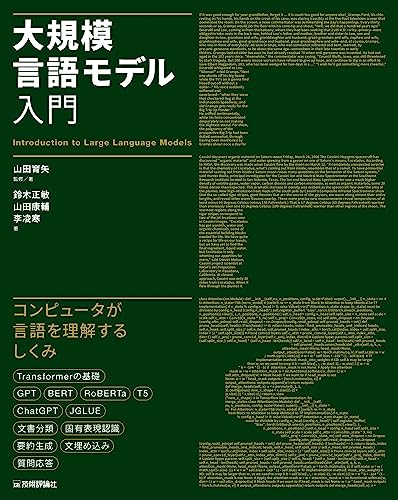
大規模言語モデル入門
¥3,520
Let's dive in.
What Exactly Is an AI Productivity Tool?
Before we explore specific tools, let's clear up a common question: what even is an AI productivity tool?
In simple terms, an AI productivity tool is any software application that uses artificial intelligence to help you work faster, smarter, or with less effort. Think of it like having a very capable assistant that never sleeps, never takes coffee breaks, and can process information at superhuman speed.
These tools can:
- Draft emails, reports, and presentations in seconds
- Summarize long documents into bullet points
- Transcribe and translate audio or video automatically
- Organize your calendar and tasks intelligently
- Generate images, graphics, or social media content on demand
You don't need to understand how the AI works underneath the hood — just like you don't need to know how an engine works to drive a car.
Why Now? The AI Productivity Boom
AI productivity tools have exploded in popularity for one key reason: they actually work now.
Just a few years ago, AI assistants were novelty items — impressive demos that rarely delivered in real-world use. But by 2025–2026, the technology has matured dramatically. Here are some numbers that illustrate this shift:
- GitHub Copilot (a code assistant) reports that developers write code 55% faster when using the tool
- Grammarly's AI writing assistant is used by over 30 million people daily
- Tools powered by OpenAI's GPT-4 and similar models have reduced content creation time by an average of 60–70% for marketing teams
- According to Salesforce research, 67% of IT professionals say generative AI tools are already "extremely important" to their work
This isn't hype anymore — it's a genuine shift in how work gets done. And the best part? You can start benefiting from it today, without writing a single line of code.
The Main Categories of AI Productivity Tools
AI tools aren't one-size-fits-all. Let's break them down into the categories most relevant to everyday users.
1. AI Writing Assistants
These tools help you write better and faster — from emails to blog posts to business proposals.
Real-World Example: Notion AI at Figma Design company Figma integrated Notion AI into their internal documentation process. Their team reported saving an average of 3 hours per week per employee by using Notion AI to draft meeting summaries, project briefs, and status updates. Over a year across 100+ employees, that's over 15,000 hours saved.
Top tools in this category include:
- ChatGPT (OpenAI) — Great all-around writing assistant
- Claude (Anthropic) — Known for nuanced, thoughtful responses
- Jasper AI — Tailored for marketing copy and content creation
- Grammarly — Focuses on grammar, tone, and clarity
If you want to deepen your understanding of how to use language effectively alongside these tools, books on communication and persuasive writing can complement your AI toolkit beautifully.
2. AI Meeting and Note-Taking Tools
Meetings eat up enormous amounts of time. AI tools can attend your meetings (virtually), transcribe everything said, and even generate a summary and action items — automatically.
Real-World Example: Otter.ai at Zoom Otter.ai integrates directly with Zoom and has been adopted by thousands of business teams. Users report cutting post-meeting admin time by 80%. Instead of scrambling to write notes, teams receive a structured summary within minutes of the call ending.
Similar tools include:
- Fireflies.ai — Records, transcribes, and summarizes meetings
- Otter.ai — Real-time transcription with speaker identification
- Microsoft Copilot in Teams — Built directly into Microsoft Teams for seamless use
3. AI Image and Design Tools
You don't need to be a graphic designer to create stunning visuals anymore.
Real-World Example: Canva Magic Studio Canva, the beloved design platform used by over 170 million people, launched "Magic Studio" — a suite of AI tools that lets users generate images from text descriptions, resize designs automatically, and remove backgrounds with one click. Small business owners who previously spent $500–$2,000 per month on freelance designers reported reducing those costs by over 60% using these AI design features.
Other notable tools:
- Adobe Firefly — Integrated into Adobe's Creative Cloud suite
- Midjourney — For creating highly artistic, photorealistic images
- DALL-E 3 (via ChatGPT) — Accessible directly through ChatGPT Plus
4. AI Task Management and Scheduling
These tools connect your calendars, to-do lists, and communications to intelligently prioritize your day.
- Reclaim.ai — Automatically schedules focus time, meetings, and breaks
- Motion — Builds and adjusts your daily schedule using AI
- Todoist AI Assistant — Helps break projects into manageable tasks
Head-to-Head: Comparing the Top AI Productivity Tools
To help you choose the right tool for your needs, here's a handy comparison table:
| Tool | Best For | Free Plan? | Approx. Monthly Cost | Ease of Use (1–5) |
|---|---|---|---|---|
| ChatGPT (Plus) | Writing, research, Q&A | ✅ Yes | $20 | ⭐⭐⭐⭐⭐ |
| Claude (Pro) | Long documents, analysis | ✅ Yes | $20 | ⭐⭐⭐⭐⭐ |
| Notion AI | Notes, docs, summaries | ❌ Add-on | $10 add-on | ⭐⭐⭐⭐ |
| Otter.ai | Meeting transcription | ✅ Limited | $16.99 | ⭐⭐⭐⭐⭐ |
| Canva Magic Studio | Design and visuals | ✅ Yes | $15 (Pro) | ⭐⭐⭐⭐⭐ |
| Grammarly (Premium) | Writing improvement | ✅ Yes | $12 | ⭐⭐⭐⭐⭐ |
| Reclaim.ai | Smart scheduling | ✅ Yes | $8 | ⭐⭐⭐⭐ |
| Jasper AI | Marketing copy | ❌ No | $49 | ⭐⭐⭐⭐ |
| Adobe Firefly | Creative image generation | ✅ Limited | $4.99 | ⭐⭐⭐⭐ |
| Motion | Daily task planning | ❌ No | $19 | ⭐⭐⭐ |
💡 Beginner Tip: If you're just getting started, ChatGPT's free plan and Canva's free plan are the best places to begin. You can explore powerful AI features without spending a single dollar.
How to Get Started: A Simple 3-Step Framework
You don't need a tech background or a transformation plan. Here's a practical approach anyone can follow:
Step 1: Identify Your Biggest Time Drain
Ask yourself: What task do I do repeatedly that eats up the most time?
- Writing emails → Try ChatGPT or Grammarly
- Post-meeting notes → Try Otter.ai or Fireflies.ai
- Creating graphics → Try Canva Magic Studio
- Managing your schedule → Try Reclaim.ai
Start with one problem, one tool. Don't try to overhaul everything at once.
Step 2: Spend 30 Minutes Learning the Tool
Most AI tools are designed to be intuitive. Spend 30 minutes watching the tool's official tutorial video (usually available on YouTube for free) and experimenting with a low-stakes task.
For example: Ask ChatGPT to rewrite a recent email you sent. Compare the two versions. You'll likely be surprised at the improvement.
Step 3: Build It Into Your Routine
Once you're comfortable, integrate the tool into your daily workflow. Set a reminder to use it for a specific task each day for two weeks. By then, it will feel natural — like using Google Search or spell-check.
For anyone who wants a more structured approach to building better work habits around technology, books on productivity and habit formation are an excellent companion to your AI journey.
Common Myths About AI Tools (Debunked)
Myth 1: "AI tools will replace my job."
Reality: The more accurate framing is that AI tools will replace tasks, not

